Best Apps for Creating Social Media Content
Best apps for creating social media content in 2026: 15 tools for design, video, captions, and scheduling, tested for real creators.
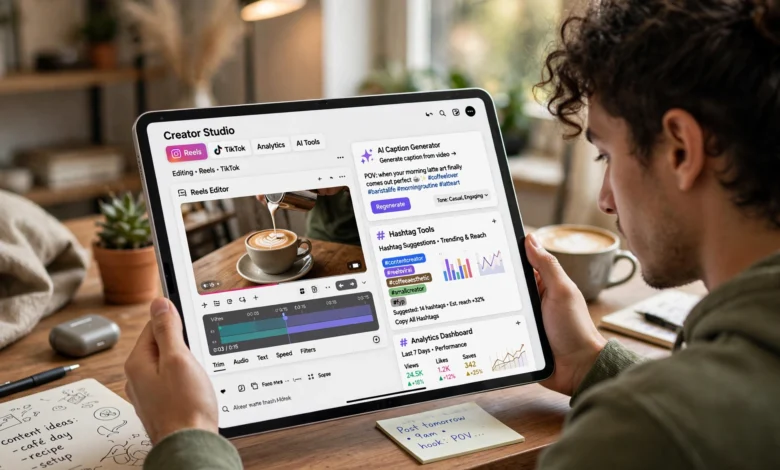
If you’ve ever stared at a blank caption box at 11 p.m. wondering how you’re supposed to post five times a week and still have a life, you already know why finding the best apps for creating social media content matters so much. Content creation used to mean owning Photoshop and knowing how to use it. Now it means picking the right handful of apps that each do one job really well, and getting them to work together without eating your whole afternoon.
This guide breaks down the best apps for creating social media content across every stage of the process: design, video editing, captions and copywriting, photo editing, and scheduling. I’m not going to tell you that one app does everything, because nothing does, and any article that claims otherwise is trying to sell you something. Instead, you’ll get a realistic picture of which social media content creation tools are worth your time in 2026, what each one is actually good at, where it falls short, and roughly what it costs.
Whether you’re a solo creator juggling three platforms, a small business owner who wears the marketing hat along with five others, or part of a team managing a brand’s entire content calendar, this list is built to help you put together a workflow that doesn’t burn you out. We’ll cover free options, paid upgrades worth paying for, and a few tools you’ve probably never heard of that punch way above their weight.
Why the Right Content Creation Apps Actually Matter
Before jumping into the list, it’s worth being honest about why this decision matters more than it seems. Picking the wrong social media content creation tools doesn’t just waste money, it wastes time, and time is the one thing creators and marketers never have enough of.
A good app should do at least one of these three things:
- Save you hours on a task you repeat every week (resizing, captioning, cutting clips)
- Raise the quality of your output without requiring years of design or editing training
- Keep your brand consistent across platforms, formats, and team members
If a tool doesn’t check at least one of those boxes, it’s probably not worth adding to your stack, no matter how trendy it is. Most working creators run three to five apps in a workflow rather than relying on one giant platform to do everything, and that’s actually the smarter approach. You want specialists, not a jack-of-all-trades that’s mediocre at each individual task.
Best Apps for Creating Social Media Content: Design and Graphics
Design tools are usually the starting point for anyone building a content workflow, since most posts still start as an image, carousel, or graphic template.
Canva
Canva remains the default social media post maker for millions of solo creators and teams, and for good reason. It’s built specifically for people who don’t have formal design training but still need to produce professional-quality social media graphics on a daily basis.
What makes Canva one of the best apps for creating social media content is the sheer volume of templates, all pre-sized for platforms like Instagram Stories, TikTok covers, LinkedIn banners, and Pinterest pins. You can take one product photo, drop it into a carousel, resize it for three other platforms, and have several post versions ready before lunch.
Key features worth knowing:


- Brand Kits to store your logo, color palette, and fonts for one-click consistency
- Magic Resize to instantly adapt a single design across multiple platform dimensions
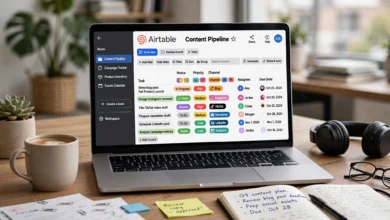
- A Content Planner to schedule posts directly from the design screen
- Real-time collaboration, commenting, and approval workflows for teams and clients
Canva’s free plan is genuinely usable, and the Pro tier unlocks premium templates, background removal, and more storage. For anyone building content creation apps for Instagram into their routine, Canva is close to unavoidable.
Adobe Express
Adobe Express is the natural pick if your team already lives inside Photoshop or Illustrator, since it syncs assets and fonts seamlessly across the Adobe ecosystem. It includes one-click background removal for both images and video, quick resizing for different social formats, and a built-in scheduler.
Where Adobe Express edges ahead of some competitors is its use of Adobe’s Firefly generative AI, which is trained to be commercially safe, meaning less risk of copyright headaches for brands. The free plan is solid, and the premium tier runs about $9.99 a month, unlocking the full Adobe Stock library and monthly generative credits.
Figma
Figma isn’t technically one of the traditional social media content creation tools, but it’s become a favorite among teams that need repeatable post systems, like carousels, ad layouts, and campaign boards. A designer can build frames for carousel slides, lock brand spacing, save reusable text styles, and leave comments for writers before anything goes live.
The tradeoff is that Figma isn’t meant for retouching photos or editing video. Think of it as the layout and structure layer of your workflow, not the finishing tool.
Best Apps for Creating Social Media Content: Video Editing
Short-form video is still driving the most engagement across nearly every platform, which makes video editors some of the most essential best apps for creating social media content on this entire list.
CapCut
CapCut dominates mobile short-form video editing, and it’s installed on the majority of creator phones for a simple reason: it’s fast. The free tier already produces professional-quality output, and its templates, auto-captions, and native effects make it three to four times faster than desktop editors like Premiere for short-form clips.
The Pro tier, priced around $10 a month, removes watermarks and unlocks premium templates. If your content strategy leans heavily on TikTok, Instagram Reels, or YouTube Shorts, CapCut should be near the top of your content creation apps list.
Descript
Descript takes a different approach: you edit video by editing a text transcript, and the footage follows along automatically. This makes it one of the most efficient social media content creation tools for talking-head videos, podcast clipping, and pulling short-form clips out of longer recordings.
It also handles auto-captioning and can turn a transcript into titles, summaries, and captions for social media, which blurs the line between video editor and copywriting tool. For color-heavy edits or complex motion graphics, a traditional timeline editor is still the better choice, but for creators producing talking content weekly, Descript saves an enormous amount of time. Pricing starts around $15 a month.
Kapwing
Kapwing’s AI-powered auto subtitle generator is highly accurate and customizable, which makes it a strong choice for teams producing a high volume of short-form videos, memes, and reaction content quickly. Its Safe Zones overlay feature is a small but genuinely useful detail, since it shows exactly where platform UI elements like usernames and captions will sit on top of your video, so your key visuals don’t get covered. A free plan exists with watermarks and export limits, and the Pro plan starts at $24 a month per user.
Best Apps for Creating Social Media Content: Captions and Copywriting
Visuals get the scroll to stop, but words are still what build trust, drive clicks, and get shares. AI writing tools have become genuinely essential content creator apps in 2026, not a novelty.
ChatGPT and Claude
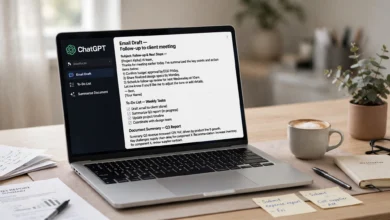
Both tools have become dominant writing assistants for creators, though they tend to shine in different areas. Claude tends to be strong for long-form thinking, brand voice matching, and drafting content that needs to sound consistently like a specific person or brand. ChatGPT tends to be quicker for punchy captions, quick ideation, and rapid brainstorming when you need ten hook ideas in ninety seconds.
<cite index=”8-1″>Industry research indicates roughly 80 percent of marketers now use AI for content creation, and around 75 percent use it for media production</cite>, which shows how mainstream AI-assisted copywriting has become rather than a fringe tactic.
A practical workflow many creators use:
- Brainstorm hooks and angles with an AI writing tool
- Draft the caption or script in your own voice
- Edit heavily, since raw AI output rarely sounds like a real person without a pass
- Save winning formats as templates for future posts
AnswerThePublic
For content ideation rather than writing, AnswerThePublic pulls real search queries people are typing into Google around a given topic. Pick a topic, screenshot the results, and you instantly have a month’s worth of content angles based on what your audience is actually curious about. It works well across formats too, since an idea that works as a short-form video on TikTok can often be repurposed into a caption, blog post, or newsletter later.
Best Apps for Creating Social Media Content: Photo Editing and Mockups
Not every post needs a full design tool. Sometimes you just need a clean photo or a realistic mockup fast.
Lightroom Mobile
For creators who shoot their own content on a phone, Lightroom’s mobile app remains one of the most reliable social media design apps for quick color correction, preset application, and consistent visual branding across a feed. Presets are the real time-saver here, since you can build one look once and apply it to every future photo in seconds.
Placeit by Envato
Placeit solves one very specific problem extremely well: realistic product mockups without a photoshoot. Instead of manually placing a design onto a phone screen or t-shirt in Photoshop, which takes real skill and time, Placeit’s browser-based library does it in a single click. Its mockup library is significantly larger and more specialized than what you’ll find inside Canva or Adobe Express, making it a favorite among ecommerce brands and app developers who need to showcase products in lifestyle scenes.
Best Apps for Creating Social Media Content: Scheduling and Planning
Creating great content is only half the job. The best apps for creating social media content are only as useful as your ability to actually get that content published consistently, and that’s where scheduling tools come in.
Buffer
Buffer is a straightforward, well-built scheduling tool that lets you queue posts across multiple platforms, review analytics, and keep a clean overview of your content calendar. It’s a solid pick for solo creators and small teams who want simplicity over a sprawling feature set. You can read more about how creators are using it in <cite index=”1-1″>Buffer’s own roundup of the best social media apps for content creation</cite>, which covers tools ranging from carousel inspiration to API-based scheduling options for developers.
Hootsuite
Hootsuite is one of the more established names in social media management, offering a full content calendar, automated scheduling, and analytics to track performance over time. It tends to suit larger teams managing multiple brands or clients who need more robust reporting than Buffer offers out of the box.
Later
Later leans into visual planning, with a drag-and-drop calendar that’s especially popular with Instagram-first creators who want to preview how their grid will look before anything goes live. It’s a smart choice if your feed’s overall aesthetic matters as much as individual posts.
Miro
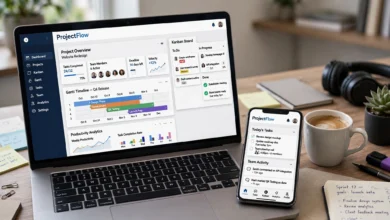
Miro isn’t a scheduler in the traditional sense, but it’s one of the better tools for brainstorming and mapping out a content calendar with a team before anything gets built. Sticky notes, mood boards, and campaign timelines all live on one shared canvas, which keeps planning meetings from turning into scattered spreadsheet chaos.
How to Build Your Own Content Creation Stack
There’s no single right answer here, since the best stack depends entirely on what you post and how often. That said, a few practical guidelines help:
- Start with your most repeated task. If you post carousels weekly, start with Canva or Figma. If you’re shooting talking-head video daily, start with CapCut or Descript.
- Add an AI writing tool early. Captions take longer than most people expect, and a writing assistant pays for itself almost immediately.
- Don’t skip scheduling. Creating content in batches and scheduling it in advance is one of the biggest predictors of consistency, which matters more for growth than any single viral post.
- Keep your stack to three to five tools. More than that usually means duplicated effort, not more output.
According to <cite index=”3-1″>Filestage’s breakdown of content creation tools, social media management platforms like Hootsuite, Buffer, Sprout Social, and Later complement content creation software by giving teams a centralized place to manage and analyze engagement</cite>, rather than replacing the design and video tools themselves. That distinction matters: scheduling apps and creation apps solve different problems, and you generally need at least one of each.
Free vs. Paid: What’s Actually Worth Paying For
A lot of these best apps for creating social media content offer usable free plans, so it’s worth knowing where the paid upgrade genuinely earns its keep versus where it’s optional.
Usually worth paying for:
- CapCut Pro, if you post short-form video regularly and the watermark on free exports bothers your brand
- Canva Pro, once you’re managing multiple brand kits or need background removal often
- Descript, if talking-head content is a core part of your weekly output
Often fine to stay free:
- AnswerThePublic, for occasional idea generation
- Lightroom Mobile, for basic preset-based editing
- Buffer’s free tier, if you’re only managing one or two social accounts
Common Mistakes When Choosing Content Creation Apps
A few patterns show up again and again among creators and small teams struggling with their content workflow:
- Chasing every new AI tool instead of mastering two or three that already work
- Skipping the scheduling step, which leads to inconsistent posting even when the content itself is good
- Ignoring platform-specific sizing, which is exactly what tools like Canva’s Magic Resize or Kapwing’s Safe Zones are built to solve
- Over-editing captions with AI until they lose the creator’s actual voice, which audiences notice quickly
Avoiding these mistakes matters more than finding one more app to add to the pile.
Final Thoughts
There’s no single winner among the best apps for creating social media content, and honestly, that’s the point. The right combination depends on what you’re posting, how often, and whether you’re working solo or with a team. A reasonable starting stack for most creators in 2026 looks like a design tool such as Canva, a video editor like CapCut or Descript, an AI writing assistant for captions and ideation, and a scheduler like Buffer or Later to keep everything consistent.
Test a few of these, keep what actually saves you time, and drop anything that adds more friction than it removes. The goal was never to own every tool on this list, it’s to build a workflow you can actually stick with week after week.