Top Note-Taking Apps Compared in 2026
Confused by all the note-taking apps out there? Here's an honest 2026 comparison of the best options, by price, features, and use case.
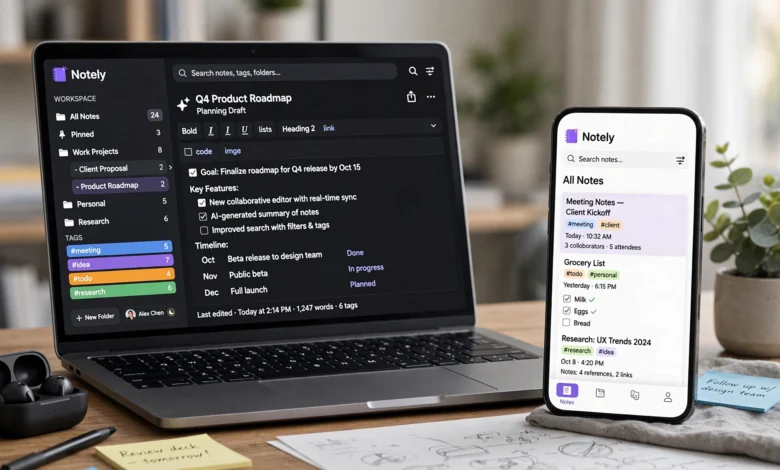
If you’ve tried to pick a note-taking app lately, you already know the problem. There are dozens of them, they all claim to be “the best,” and half of them have added AI features that may or may not actually help you. Meanwhile you just want somewhere to write down a thought, save a meeting recap, or organize a semester’s worth of lecture notes without losing your mind.
This guide compares the best note-taking apps of 2026 based on what actually matters day to day: how fast you can capture an idea, how easily you can find it again later, whether your notes work offline, and what it costs to keep using the app long-term. We looked at general-purpose tools like Notion and Obsidian, Apple and Microsoft’s built-in options, dedicated student apps like GoodNotes, and the newer wave of AI-powered note-taking apps that transcribe meetings and summarize your reading for you.
There’s no single “best” app here, and anyone who tells you otherwise is probably trying to sell you something. The right choice depends on whether you’re a student annotating PDFs, a founder trying to keep a messy brain organized, or a team that needs shared meeting notes. By the end of this article, you’ll know exactly which type of note-taking app fits your workflow, and which ones are worth skipping in 2026.
What to Look for in a Note-Taking App in 2026
Before comparing specific apps, it helps to know which features actually separate a good note-taking app from a forgettable one. Note-taking software has matured a lot in the last few years, and “just a text box” doesn’t cut it anymore.
Here’s what to check before you commit to one:
- Capture speed. If opening the app and typing a note takes more than a few seconds, you’ll stop using it. Quick capture from your phone’s lock screen or widget matters more than almost any other feature.
- Cross-platform sync. Your notes should update instantly across your phone, tablet, and computer. Laggy or unreliable sync is one of the most common complaints about older apps.
- Search and retrieval. A note you can’t find later is useless. Look for full-text search, tags, and (increasingly) AI-powered search that understands what you meant, not just what you typed.
- Organization style. Some apps use folders and notebooks, some use tags, some use bidirectional links (also called backlinks), and some use flexible databases. This is really a question of how your brain works, not which system is objectively better.
- Offline access. Cloud-only apps break the moment you lose signal. If you take notes on flights, in basements, or in areas with spotty coverage, offline support is non-negotiable.
- Export and data ownership. Can you get your notes out in a usable format if you switch apps later? Apps that store notes as plain Markdown files (like Obsidian) make this painless. Proprietary formats make it painful.
- AI features. In 2026, AI-assisted summarization, meeting transcription, and auto-tagging have become standard rather than a novelty. The question isn’t whether an app has AI, it’s whether the AI actually saves you time or just adds noise.
- Collaboration. If you’re sharing notes with a team, real-time editing, comments, and permissions matter a lot more than they do for a personal journal.
- Price. Free tiers vary wildly in what they actually let you do. Some are genuinely usable long-term; others are thinly disguised trials.
Keep these criteria in mind as you read through the comparisons below, since the “best” app really does depend on which of these you weight most heavily.
Top Note-Taking Apps Compared in 2026
Here’s how the leading note-taking apps stack up against each other this year.
1. Notion: Best All-in-One Workspace
Notion remains the default pick for people who want notes, tasks, and databases in a single tool. It works less like a notebook and more like a flexible database you build yourself: pages can contain text, tables, kanban boards, calendars, and embedded databases that talk to each other.
The free tier is generous for individuals, with unlimited pages and blocks, though AI access beyond a short trial requires a paid plan. Notion has leaned heavily into AI over the past year, adding agents that can carry out multi-step tasks like drafting documents or filling in databases across your workspace.
Strengths:


- Enormous template library, so you rarely start from a blank page
- Databases turn scattered notes into structured, queryable information
- Strong real-time collaboration for teams
Weaknesses:
- Steep learning curve; many people spend hours building the “perfect” system before writing a single real note
- Needs an internet connection for most features, and offline mode is still unreliable
- Can feel like overkill if all you want is quick, simple capture
Best for: teams that need a shared knowledge base, and individuals who want notes, tasks, and project tracking in one place.
2. Obsidian: Best for Private, Linked Notes
Obsidian takes the opposite approach from Notion. Instead of a cloud database, it stores every note as a plain Markdown file on your own device, inside a folder you fully control. That means you own your data outright, and you’re never locked into a proprietary format.
Its standout feature is the graph view, which visually maps the links between your notes, making it a favorite among people building a personal knowledge system or using a Zettelkasten-style method. A large plugin ecosystem lets you bolt on calendars, task management, charts, and AI tools as needed.
Strengths:
- Free for personal use, with an optional paid sync add-on
- Full data ownership since notes are just local files
- Backlinks and the graph view make it easy to see how ideas connect
Weaknesses:
- Not built for team collaboration
- The blank-slate flexibility means you have to design your own system
- Sync between devices costs extra unless you self-host it
Best for: researchers, writers, and anyone who wants a private, long-term knowledge base they fully control.
3. Apple Notes: Best Free Option for Apple Users
If you live inside the Apple ecosystem, Apple Notes is hard to beat for the price, which is free. It comes pre-installed on every Mac, iPhone, and iPad, syncs instantly through iCloud, and supports rich text, attachments, handwriting with Apple Pencil, and locked notes for anything private.
Recent updates added smart folders and Apple Intelligence features that can help proofread or rewrite a note. It’s not trying to be a full knowledge management system, and that restraint is part of its appeal.
Strengths:
- Zero cost, no ads, and pre-installed
- Excellent capture speed from the lock screen or widgets
- Reliable iCloud sync across all Apple devices
Weaknesses:
- Doesn’t work at all if you’re not in the Apple ecosystem
- Organization tools (folders and tags) are basic compared to database-style apps
- No real cross-platform collaboration for teams
Best for: Apple-only users who want fast, free capture without a learning curve.
4. Microsoft OneNote: Best Free-Form Canvas
OneNote has been part of Microsoft Office since 2003, and it still does one thing better than almost anyone else: freeform pages. Each notebook is modeled like a ring binder with sections and pages, and every page is a blank canvas where you can type anywhere, drop in images, record audio, or sketch with a stylus.
It’s included with Microsoft 365, which makes it effectively free for a huge number of people who already have an Office subscription. It’s particularly strong for handwritten and tablet-based notes.
Strengths:
- Truly freeform layout, good for messy diagrams or mixed media
- Included with Microsoft 365 at no extra cost
- Strong handwriting and stylus support on tablets
Weaknesses:
- Search and organization feel dated next to newer apps
- The interface can feel cluttered for people who just want simple text notes
- Weak backlinking or connection between notes compared to Obsidian or Notion
Best for: students and professionals who take long, discursive notes with diagrams, and Microsoft 365 subscribers who want a free option.
5. Evernote: The Original, Now Facing Real Competition
Evernote practically invented the modern note-taking app category, and it’s still genuinely strong at web clipping, OCR (searching text inside images and scanned documents), and PDF markup. If you save a lot of web pages or scanned paperwork, its clipper remains one of the best in the category.
That said, its free tier is limited compared to competitors, and the paid Personal plan costs more than most alternatives that now offer similar or better core features for free.
Strengths:
- Best-in-class web clipping and document scanning
- Strong OCR that makes scanned text searchable
- Long track record and mature desktop apps
Weaknesses:
- Pricier than most competitors for what you get
- Free tier is restrictive
- Feature pace has slowed compared to newer, more AI-forward apps
Best for: people who need to archive and search a large volume of clipped web pages, receipts, or scanned documents.
6. Google Keep: Best for Quick, Lightweight Capture
Google Keep is deliberately minimal. Notes appear as color-coded cards, and you can add text, checklists, voice memos, or photos in a couple of taps. It integrates tightly with Google Docs, Calendar, and Drive, which makes it especially convenient if you already live in Google Workspace.
It isn’t trying to be a knowledge management system, and if you get overwhelmed by feature-heavy apps, that simplicity is exactly the point.
Strengths:
- Extremely fast capture with a clean, card-based interface
- Free with any Google account
- Good integration with Gmail, Calendar, and Docs
Weaknesses:
- No real organizational depth, no backlinks or databases
- Not built for long-form notes or research
- Limited collaboration features compared to Notion or Google Docs
Best for: quick reminders, shopping lists, and short-lived notes rather than long-term knowledge storage.
7. Bear: Best Minimalist Writing Experience
Bear has built a loyal following among Apple users who want a clean, distraction-free writing environment with just enough structure. It uses Markdown, hashtag-based tags (including nested tags), and a genuinely beautiful native interface across Mac, iPhone, and iPad.
Strengths:
- Elegant, minimal design that stays out of your way
- Flexible tagging system for organization without folders
- Strong Markdown export options
Weaknesses:
- Apple-only, so it’s a non-starter on Windows or Android
- Lighter on advanced features like databases or AI
- Less useful for team collaboration
Best for: writers and Apple users who want a distraction-free space for long-form notes and journaling.
8. GoodNotes and Notability: Best for Handwritten Notes
For students who handwrite lecture notes or annotate PDFs on an iPad, GoodNotes and Notability remain the two apps to beat. Both offer a genuinely convincing pen-on-paper feel with an Apple Pencil, pressure sensitivity, and multiple pen styles. GoodNotes recently added a block-based text editor, an infinite whiteboard, and real-time audio transcription, while Notability leans into AI-powered study tools like quizzes and flashcards generated from your notes.
Strengths:
- The best handwriting and annotation experience available on iPad
- Strong PDF markup for readings, slides, and worksheets
- Increasingly capable AI study tools (quizzes, summaries, transcription)
Weaknesses:
- Built primarily around iPad and Apple Pencil; the experience is weaker elsewhere
- Not designed for team or database-style organization
- Subscription costs add up if you want the full AI feature set
Best for: students who handwrite notes and annotate PDFs, especially on iPad.
9. Craft: Best for Visual, Document-Style Notes
Craft blends the structure of a document editor with the visual polish of a design tool. Pages support nested blocks, inline images, and a card-based layout that’s genuinely pleasant to read back later, which is more than you can say for a lot of note apps.
Strengths:
- Visually polished documents that are easy to skim later
- Solid Markdown support and export options
- Good for both personal notes and shareable documents
Weaknesses:
- Smaller plugin and integration ecosystem than Notion or Obsidian
- Fewer database-style features for people who want to build structured systems
- Mac and iOS experience is noticeably ahead of Windows
Best for: people who want their notes to double as polished, shareable documents.
10. AI-Native Note-Taking Apps: The Fastest-Growing Category
The biggest shift in note-taking software this year has been the rise of AI-native tools that don’t just store what you type, they generate notes for you. A few worth knowing about:
- AI meeting notetakers that join or passively listen to calls, then turn the conversation into structured meeting notes without a bot visibly recording, and without you having to type anything during the meeting.
- AI research notebooks that let you upload PDFs, articles, or saved sources and then ask questions, returning answers with citations back to the original text instead of a generic web answer.
- Self-organizing note apps that automatically link related notes and suggest tags as you write, aiming to solve the “I have to manually maintain my own filing system” problem that turns a lot of people off tools like Obsidian.
These tools are genuinely useful if your note-taking is tied to meetings, research, or reading rather than free-form journaling. The tradeoff is usually a stricter free tier, since AI processing costs money to run, and a learning curve around trusting AI-generated summaries enough to rely on them.
Best for: knowledge workers whose notes are mostly meeting recaps, research synthesis, or reading summaries rather than personal journaling.
Free vs. Paid Note-Taking Apps: What You Actually Get
Free tiers vary far more than most people expect, and it’s worth understanding the difference before you build months of notes into an app you might outgrow.
Genuinely usable free tiers:
- Apple Notes and Google Keep are free with no meaningful cap, since neither app charges for a premium tier at all
- Obsidian is free for personal use indefinitely, with only cross-device sync as a paid add-on
- Notion’s free personal tier includes unlimited pages and blocks, though AI access is limited
Free tiers that are really trials:
- Many AI-native note-taking apps cap you at a small number of notes or AI messages per month, enough to test the workflow but not to use daily
- Evernote’s free tier is restrictive enough that most reviewers now recommend paying or switching
When paying is worth it:
- If you need cross-device sync in Obsidian, you’re an active team using Notion’s collaboration features, or you rely heavily on AI transcription and summarization, the paid tiers typically pay for themselves in saved time.
- If you’re a student, always check for an education discount before paying full price. Several of the apps above offer a free premium tier with a valid school email.
A useful rule of thumb: Obsidian for personal notes plus Apple Notes or Google Keep for quick capture covers the vast majority of individual use cases at zero cost. Paid tools start to make sense once collaboration, AI processing, or advanced search become part of your daily workflow rather than a nice-to-have.
Best Note-Taking Apps by Use Case
Since “best” depends heavily on who’s asking, here’s a quick-reference breakdown by use case.
For students:
- Typed notes across every platform: OneNote
- Handwritten lecture notes on iPad: GoodNotes or Notability
- Long-term knowledge building across years of study: Obsidian
For teams and collaboration:
- Shared knowledge base and project docs: Notion
- Meeting-centric collaboration with shared agendas and follow-ups: dedicated meeting-notes tools built for that workflow
For researchers and knowledge workers:
- Linked thinking and a personal knowledge base: Obsidian
- Source-heavy work with cited answers across PDFs and saved articles: an AI-native research notebook
For Apple-only users:
- Fast, free, built-in capture: Apple Notes
- Minimalist long-form writing: Bear
For quick, lightweight capture:
- Google Keep for checklists and short reminders
- Apple Notes for anything similar on iOS or Mac
For developers:
- Apps with strong code block support and syntax highlighting, paired with tagging or plugin-based extensibility, tend to serve this niche best
How to Actually Choose the Right Note-Taking App
With this many solid options, the decision usually comes down to a few honest questions rather than a feature checklist:
- How will you find the note again later? If your answer is “search,” pick an app with strong full-text or AI-powered search, like Apple Notes, OneNote, or an AI-native tool. If your answer is “by following links from related notes,” pick Obsidian.
- Do you work alone or with a team? Solo, private knowledge work favors Obsidian or Apple Notes. Team collaboration favors Notion.
- What device do you actually use most? If it’s an iPad with a pencil, GoodNotes or Notability will beat every general-purpose app. If it’s a mix of Windows, Android, and web, avoid Apple-only tools entirely.
- How much setup time are you willing to invest? Notion and Obsidian both reward time spent building a system. If you don’t want to spend that time, a simpler tool like Apple Notes or Google Keep will make you happier faster.
- How easy is it to leave? Check the export options before you commit. Apps that store notes as Markdown or plain text let you switch later without losing years of work; proprietary formats make switching painful.
If you’re still unsure, the lowest-risk move is to run two apps side by side for two weeks: one that leans structured (Notion or OneNote) and one that leans minimal (Apple Notes or Obsidian). Most people know within a few days which one their brain actually wants to use.
For a deeper technical breakdown of specific tools, Zapier’s roundup of note-taking apps is a solid resource that’s updated regularly. If you want to compare specific integrations or automation options for apps like OneNote, their OneNote automation guide is also worth a look before you commit to a workflow.
Conclusion
Choosing among the best note-taking apps in 2026 really comes down to matching the tool to how you think and work, not chasing whichever app has the longest feature list. Start with the job your notes need to do after you write them, pick the app built for that job, and don’t be afraid to run two apps side by side until you know which one actually sticks.
Notion and OneNote suit people who want structure and are willing to build a system; Obsidian and Bear suit people who want private, minimal, owned notes; Apple Notes and Google Keep suit anyone who just wants fast, free capture; and the newer AI-native note-taking apps are worth a look if meetings, research, or reading summaries make up most of your note-taking.