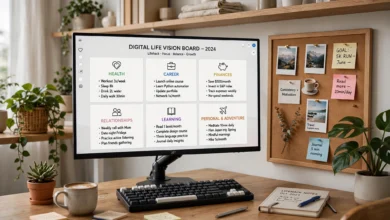
What Is Digital Minimalism? A Practical Guide
Digital minimalism helps you cut screen time, quiet the noise, and use tech with purpose. Here are 7 practical steps to build a calmer digital life.

Digital minimalism is a simple idea with a big payoff: use less technology, but use it on purpose. That sounds obvious until you check your phone’s weekly report and see how many hours went to apps you don’t even like.
Most of us didn’t choose to live this way. A new app shows up, it looks useful, and we add it. Then another. Then a dozen group chats, three news feeds, and a steady stream of notifications that pull us away from work, family, and our own thoughts. None of it feels like a big deal on its own. Together, it quietly eats our attention.
This is where digital minimalism comes in. It isn’t about throwing your phone in a lake or going off the grid. It’s about deciding which tools actually add value to your life and letting go of the rest without guilt. People who practice it often report better focus, deeper relationships, and more time for things they used to say they were “too busy” for.
In this guide, you’ll get a clear answer to what is digital minimalism, the principles behind it, the real benefits, and seven practical steps to start. You’ll also find tools, common mistakes, and honest tips for making the change stick. Whether you want a full reset or just a lighter relationship with your screen, this is a good place to begin.
What Is Digital Minimalism?
Digital minimalism is a philosophy of technology use where you focus your online time on a small number of carefully chosen activities that support the things you value most, and you happily skip everything else.
The term was popularized by computer science professor Cal Newport in his book Digital Minimalism: Choosing a Focused Life in a Noisy World. Newport compares it to physical minimalism. Just as a minimalist home keeps only the objects that earn their place, a digital minimalist keeps only the apps, platforms, and habits that earn their place.
The opposite approach is what Newport calls digital maximalism. A maximalist adopts any tool that offers even a small benefit. “It’s free and my friends are on it” is enough. A minimalist asks a harder question: is this the best way to get the value I want, and is it worth the time and attention it costs?
Digital Minimalism vs. Digital Detox
People often mix these up, but they’re different.
- Digital detox is a short break. You step away for a weekend or a week, then usually go back to the same habits.
- Digital minimalism is a long-term way of living. A break might be part of it, but the goal is to rebuild your habits so you don’t need constant detoxes.
Think of a detox like a crash diet and minimalism like changing how you eat for good.
The 3 Core Principles of Digital Minimalism
Newport builds the philosophy on three principles. They’re worth understanding because they explain why the practical steps work.


- Clutter is costly. Every app, account, and subscription takes a small slice of your time and attention. One slice seems harmless. Fifty of them add up to a scattered, tired mind. The cost is often higher than the benefit.
- Optimization is important. Choosing a useful tool is only half the job. You also need to decide how to use it well. For example, you might keep a messaging app but mute group chats and check it twice a day instead of fifty times.
- Intentionality is satisfying. There’s real satisfaction in knowing you chose your tools on purpose. It gives you a sense of control that endless scrolling never does.
What Digital Minimalism Is Not
It helps to clear up a few myths:
- It’s not anti-technology. Digital minimalists often love tech. They just use it with clear limits.
- It’s not about a perfect screen time number. Two focused hours on a creative project beats forty scattered minutes on a feed.
- It’s not one-size-fits-all. A freelance designer and a high school teacher will end up with very different setups, and that’s fine.
Why Digital Minimalism Matters Today
Smartphones are now close to universal. According to the Pew Research Center’s mobile fact sheet, the vast majority of American adults own one, and similar trends hold around the world. That’s great for convenience. It also means most of us carry a device built to compete for our attention every waking hour.
Many popular apps are designed around the attention economy. The longer you stay, the more ads they can show, so features like infinite scroll, autoplay, and streaks are built to keep you hooked. That’s not a conspiracy theory. It’s just the business model. Digital minimalism is a way of taking some of that control back.
Key Digital Minimalism Benefits
Here’s what people commonly notice after cutting back and using tech more intentionally:
- Better focus. Fewer interruptions mean longer stretches of deep, uninterrupted work. Tasks that used to drag on finish faster.
- Less anxiety and comparison. Spending less time on social feeds often means less comparing your everyday life to someone else’s highlight reel.
- More free time. Even trimming an hour of mindless screen time a day gives you over 350 hours a year. That’s enough to learn a skill, read a stack of books, or get serious about exercise.
- Stronger relationships. Being fully present at dinner or on a walk with a friend is rare enough now that people notice.
- Better sleep. Keeping your phone out of the bedroom and away from your face at night can make it easier to wind down.
- A calmer mind. Without constant input, your brain finally gets space to think, reflect, and come up with ideas.
Signs You Might Need a Digital Declutter
Not sure if this applies to you? Ask yourself honestly:
- Do you reach for your phone the moment you feel bored, even for a few seconds?
- Do you open an app, close it, and then open it again a minute later without thinking?
- Does notification fatigue leave you feeling scattered by the afternoon?
- Do you feel worse, not better, after scrolling social media?
- Do you say you have no time for hobbies, yet your screen time report says otherwise?
If you said yes to two or more, a digital declutter could make a real difference.
7 Practical Steps to Start Digital Minimalism
You don’t need to overhaul your life overnight. These seven steps build on each other, so take them in order and go at a pace that feels doable.
Step 1: Audit Your Current Tech Use
Before changing anything, look at the facts. Open your phone’s built-in screen time or digital wellbeing dashboard and check the last week.
- Which apps take the most time?
- How many times a day do you pick up your phone?
- Which apps send the most notifications?
Write down what surprises you. Most people find one or two apps eating far more time than they’d guess.
Step 2: Define What You Actually Value
This is the step most people skip, and it’s the most important one. Digital minimalism only works if you know what you’re making room for.
Take ten minutes and list what matters to you: family, health, a side project, learning, faith, friendships, rest. Then, for each app or platform you use, ask whether it directly supports one of those things. If it doesn’t, it’s a candidate to cut.
Step 3: Run a 30-Day Digital Declutter
This is the heart of Newport’s method. For 30 days, you step away from optional technologies, meaning anything you can drop without hurting your job or essential responsibilities.
- Define your optional tech. Social media, streaming, news apps, games, and most browsing usually fall here. Email and work tools usually don’t.
- Take a 30-day break. Delete or log out of those apps. Use the time to try offline activities you enjoy or used to enjoy.
- Reintroduce with intention. After 30 days, add back only the tools that clearly serve your values. For each one, set rules for how and when you’ll use it.
The break matters because it resets your habits. After a month away, you’ll see clearly which apps you actually missed and which ones you just used out of reflex.
Step 4: Clean Up Your Devices
A cluttered phone invites cluttered behavior. A few quick changes make intentional technology use much easier:
- Delete apps you haven’t opened in a month.
- Move the remaining tempting apps off your home screen, or into a folder on the second page.
- Turn off all notifications except those from real people and truly urgent tools.
- Try grayscale mode. A dull screen is much less appealing.
- Unsubscribe from newsletters and promotional emails you never read.
- Tidy your desktop and cloud files so finding things doesn’t turn into a distraction.
Step 5: Set Clear Rules for the Tools You Keep
Keeping an app doesn’t mean using it freely. Give each one a rule, such as:
- Check email at 10 a.m., 1 p.m., and 4 p.m. only.
- Use social media on your laptop, not your phone.
- No phone at the dinner table or in the bedroom.
- Watch one episode, then stop.
Simple, specific rules beat vague goals like “use my phone less” every time.
Step 6: Fill the Gap With High-Quality Leisure
This is where a lot of people fail. If you remove scrolling but don’t replace it, boredom will drag you right back. Plan real activities ahead of time:
- Reading physical books
- Walking, running, or going to the gym
- Cooking a new recipe
- Learning an instrument or language
- Building or fixing something with your hands
- Meeting friends in person
Newport argues that hobbies requiring real effort tend to be the most satisfying. Passive consumption rarely leaves you feeling good afterward.
Step 7: Protect Time for Solitude
Solitude here doesn’t mean being alone in a cabin. It means time where your mind isn’t taking in input from others. No podcasts, no messages, no feeds.
Try a short walk without headphones, or sit with a coffee and just think. It might feel uncomfortable at first. That discomfort is a sign of how rarely your brain gets space to process. Over time, these quiet moments become a source of clarity and better ideas.
Helpful Tools for Mindful Tech Use
It may sound odd to use technology to fight technology, but the right tools can support mindful tech use. Keep this list short, though. Adding ten apps to manage your apps defeats the purpose.
| Tool type | What it does | Examples |
|---|---|---|
| Built-in screen time controls | Track usage and set app limits | iOS Screen Time, Android Digital Wellbeing |
| Website and app blockers | Block distracting sites during set hours | Freedom, Cold Turkey, LeechBlock |
| Focus modes | Silence everything except chosen contacts | iOS Focus, Android Do Not Disturb |
| Read-later apps | Save articles to read in one batch | Instapaper, Matter |
| Simple alarm clock | Keeps your phone out of the bedroom | Any basic analog clock |
One of the most effective tools isn’t digital at all: a small box or drawer where your phone lives during meals, family time, and the hour before bed.
Common Digital Minimalism Mistakes to Avoid
Even with good intentions, it’s easy to stumble. Watch out for these:
- Going too extreme, too fast. Deleting everything in a burst of motivation often leads to a rebound. Steady changes last longer.
- Cutting without replacing. As mentioned above, empty time gets filled by old habits unless you plan something better.
- Swapping one feed for another. Quitting Instagram only to spend the same hours on YouTube Shorts isn’t progress.
- Being rigid about rules that don’t fit. If a rule keeps failing, adjust it. The goal is a better life, not a perfect score.
- Ignoring work tech. Constant Slack or email pings can be just as draining as social media. Talk to your team about response expectations if you can.
- Judging others. Digital minimalism is a personal choice. Preaching about it usually just annoys people.
How to Stick With Digital Minimalism Long Term
Starting is the easy part. Keeping it up takes a few habits of its own.
Review Your Setup Every Few Months
Your life changes, and your tech should too. Every quarter, repeat a short version of Step 1. Check your screen time, delete what crept back in, and adjust your rules.
Expect Slips and Don’t Panic
A stressful week might send you back to old phone addiction patterns. That’s normal. Notice it, reset, and move on. One bad week doesn’t erase months of progress.
Make It Social
Tell a friend or partner what you’re doing. Better yet, invite them to try a phone-free dinner or weekend hike. Shared rules are easier to keep.
Track How You Feel, Not Just the Numbers
Screen time data is useful, but how you feel matters more. Are you sleeping better? Getting more done? Enjoying weekends again? Those answers tell you whether your digital minimalism guide is working.
Frequently Asked Questions
Is digital minimalism the same as quitting social media?
No. Some people do quit social media entirely, but many keep one or two platforms with strict rules. The point is choosing on purpose, not following a ban.
How long does it take to see results?
Most people notice a difference in focus and mood within the first two weeks of a declutter. Lasting habit changes usually take a few months.
Can I practice digital minimalism if my job is online?
Yes. Separate the tools you need for work from the ones you use for leisure. Then apply limits mainly to the optional ones and set clear work hours for the rest.
Is digital minimalism good for kids and teens?
The principles work at any age, though parents usually need to lead by example. Kids notice when adults say one thing and do another with their phones.
Conclusion
Digital minimalism is not about rejecting technology but about choosing it with care, so the tools you keep serve your values instead of draining your time and attention. By understanding Cal Newport’s three principles, auditing your habits, running a 30-day digital declutter, cleaning up your devices, setting clear rules, filling your time with meaningful activities, and protecting moments of solitude, you can build a calmer and more focused relationship with your phone and the internet.
Start small, expect a few slips, review your setup every few months, and judge your progress by how you feel rather than by a single number on a screen time report.