10 Best Free Wi-Fi Calling Apps That Actually Work in 2026
Discover which best free Wi-Fi calling apps deliver clear calls, real reliability, and zero cost in 2026, plus how to pick the right one for you.
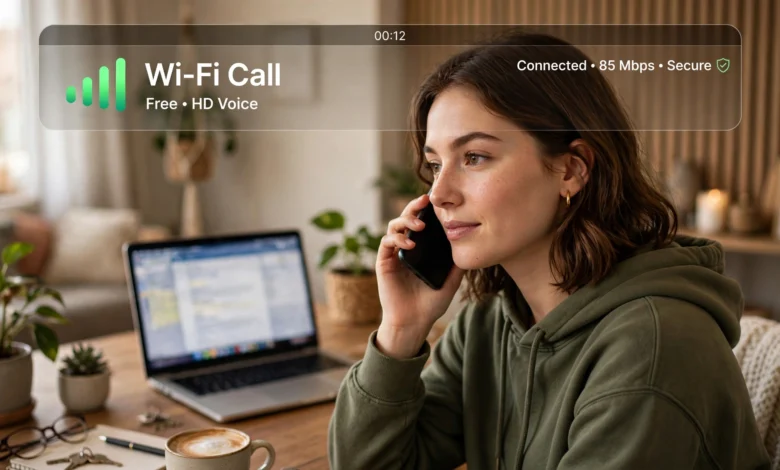
Best free Wi-Fi calling apps are no longer a backup plan for weak cell signal. They’ve become the main way millions of people talk to friends, family, and coworkers, whether they’re saving on a phone bill, traveling abroad, or just living somewhere their carrier barely reaches. If you’ve ever stood in your own kitchen holding your phone up to the window trying to get a bar of signal, you already know why this matters.
The tricky part is that not every app labeled “free” actually delivers what it promises. Some drop calls the moment your connection dips. Others bury useful features behind a paywall after a short trial. And a few collect more of your data than most people would be comfortable with if they read the fine print.
This guide walks through the Wi-Fi calling apps that genuinely hold up in daily use, based on call quality, reliability, privacy practices, and how much you actually get without paying a cent. Whether you want a dedicated second phone number, a secure way to talk to family overseas, or just a solid replacement for your carrier’s spotty coverage, you’ll find an option here that fits. Let’s get into what Wi-Fi calling actually is before comparing the apps themselves.
What Is Wi-Fi Calling and How Does It Work
Wi-Fi calling lets you make and receive phone calls using an internet connection instead of your cellular network. Instead of your voice traveling through cell towers, it’s converted into data packets and sent over Wi-Fi, using the same basic technology behind VoIP (Voice over Internet Protocol).
Most modern smartphones have a native Wi-Fi calling feature built in through your carrier, which you can usually turn on in your phone’s settings. But free Wi-Fi calling apps go a step further. They don’t rely on your carrier at all, which means they work even if you don’t have a SIM card, you’re on an old tablet, or you’re traveling somewhere your carrier doesn’t have a roaming agreement.
Here’s the basic process:
- You open the app and connect through Wi-Fi (or mobile data, in most cases).
- The app converts your voice into digital data.
- That data travels over the internet to the person you’re calling.
- If they’re using the same app, the call connects directly. If they’re on a regular phone number, the app routes the call through a VoIP gateway.
The Federal Communications Commission explains that VoIP calls can offer the same or better call quality than traditional phone lines, provided the internet connection is stable enough. That last part is the catch, and it’s the main reason some apps perform noticeably better than others.
Why You Might Need a Wi-Fi Calling App
There are a handful of situations where a free Wi-Fi calling app stops being a nice-to-have and starts being genuinely useful:
- Weak or no cell signal. Basements, rural areas, and older buildings with thick walls are notorious for poor reception. Wi-Fi calling sidesteps the problem entirely.
- International travel. Roaming charges add up fast. Calling over Wi-Fi from a hotel or café means you avoid your carrier’s international rates.
- No phone plan at all. Some apps let you make and receive calls with just a Wi-Fi connection and no SIM card, which works well for old phones, tablets, or people between phone plans.
- Wanting a second number. Freelancers, small business owners, and anyone selling items online often want a separate number they can give out without handing over their personal line.
- Cutting costs. If you’re trying to trim a monthly budget, a free calling app paired with a Wi-Fi-only device can replace a full cell plan for light users.
What to Look For in a Free Wi-Fi Calling App
Before jumping into the list, it helps to know what actually separates a good app from a mediocre one. When comparing best free Wi-Fi calling apps, pay attention to:
- Call quality on unstable networks. Some apps compress audio better than others, which matters if your Wi-Fi isn’t rock solid.
- Whether you get a real phone number. Some apps only let you call other app users, while others (like Google Voice or TextNow) assign you an actual phone number that works with any regular phone.
- Privacy and data practices. Check whether the app collects call metadata, shows ads, or requires access to your contacts.
- Cross-platform support. If your family uses a mix of iPhones and Androids, you’ll want an app that works on both.
- Group calling limits. If you regularly do group calls, the participant cap matters more than it seems.
- Hidden costs. “Free” sometimes means free for app-to-app calls only, with a per-minute charge for calling a regular landline or mobile number.
With that in mind, here’s a closer look at the apps that consistently perform well.


The Best Free Wi-Fi Calling Apps That Work in 2026
1. WhatsApp
WhatsApp remains one of the most widely used free Wi-Fi calling apps in the world, and for good reason. It offers end-to-end encrypted voice and video calls at no cost, works reliably across both Android and iOS, and doesn’t require the person you’re calling to have a phone number saved in any special format beyond a standard mobile number.
Why it works well:
- Calls and messages are encrypted by default
- Group calling supports up to 32 participants for voice
- Works smoothly even on moderate Wi-Fi speeds
- No ads interrupting your calls
The main limitation is that both people need the app installed, so it won’t help if you’re trying to reach a landline or someone without a smartphone.
2. Signal
If privacy is your top priority, Signal is hard to beat. It’s built by a nonprofit, it’s open source, and security researchers regularly review its code, which is rare in this space. Signal doesn’t run ads, doesn’t sell data, and collects almost no metadata about your calls.
Why it works well:
- Considered the gold standard for encrypted communication
- Clean, distraction-free interface
- Voice and video calls are genuinely free with no in-app purchases
- Works well even on slower connections
Signal’s group calling is capped lower than some competitors, so it’s better suited to one-on-one calls or small group chats rather than large conference calls.
3. Google Voice
Google Voice stands out because it gives you an actual phone number, not just an app-to-app connection. That number can receive texts and calls from anyone, whether or not they use the app, and it integrates with Gmail, Google Calendar, and other Google tools.
Why it works well:
- Free calls and texts to US and Canadian numbers
- Voicemail transcription included at no cost
- Works from a browser, not just a mobile app
- Good option for a dedicated work or business number
Availability outside the US is limited, so this one is best for people primarily calling within North America.
4. Facebook Messenger
Messenger’s biggest advantage is reach. Because it’s tied to Facebook, there’s a good chance the people you want to call already have it installed. Voice and video calls are free over Wi-Fi, and the app supports group calls with up to 50 participants.
Why it works well:
- Massive existing user base
- Simple to use, minimal setup
- Group video calls handle larger gatherings well
- Works on desktop and mobile
It’s not the most private option on this list, since Meta’s data practices are more permissive than apps like Signal, so keep that in mind if privacy is a bigger concern than convenience.
5. Skype
Skype has been around for a long time, and while its market share has shrunk, it’s still a solid choice, particularly for people who need to call actual phone numbers occasionally. App-to-app calls are free, and calling a real landline or mobile number costs a small per-minute fee through Skype Credit.
Why it works well:
- Reliable video conferencing for up to 50 people
- Screen sharing built in, useful for work calls
- Works across nearly every device and operating system
- Long track record of stability
The interface has changed a lot over the years, and some longtime users find recent versions feel cluttered compared to the simpler apps on this list.
6. Viber
Viber is popular internationally, especially in Europe, the Middle East, and parts of Asia. It offers encrypted calls and messaging for free between app users, along with a decent set of extra features like disappearing messages and community groups.
Why it works well:
- Strong encryption for calls and chats
- Large international user base outside North America
- Sticker and community features for casual users
- Works well over both Wi-Fi and mobile data
If most of your contacts are in the US, you may find fewer people already using it compared to WhatsApp or Messenger.
7. TextNow
TextNow is a strong pick if you want a genuinely free phone number without needing a SIM card. It gives you a working US phone number for calls and texts, funded through ads rather than subscription fees, though a paid tier removes the ads if that bothers you.
Why it works well:
- Real phone number, not just app-to-app calling
- No SIM card required
- Works on phones, tablets, and even some older devices
- Good for a lightweight secondary number
Call quality can vary depending on your Wi-Fi strength, and the free tier does show ads.
8. Talkatone
Talkatone is similar to TextNow in that it provides a free phone number for calls and texts over Wi-Fi. It’s a decent option if you want to keep a personal number separate from a number you give out for online marketplaces or dating apps.
Why it works well:
- Free US and Canadian phone number
- Straightforward setup process
- Works over any internet connection
- Useful for keeping personal and public numbers separate
Like TextNow, it’s ad-supported on the free plan, and call quality depends heavily on your connection.
9. FaceTime
For iPhone, iPad, and Mac users, FaceTime is often the simplest option available. It’s built into every Apple device, requires no separate download, and offers excellent call quality since Apple optimizes it specifically for its own hardware.
Why it works well:
- Pre-installed on all Apple devices
- Excellent audio and video quality
- End-to-end encrypted
- Works over Wi-Fi with no data charges
The obvious downside is that it only works between Apple devices, so it won’t help if you’re regularly calling Android users.
10. Line
Line is enormously popular in Japan, Taiwan, and Thailand, and it works well as a full communication app rather than just a calling tool. It supports free voice and video calls, along with messaging, timeline posts, and group calls for up to 200 participants.
Why it works well:
- Very high group calling capacity
- Popular in East Asian markets, useful for international contacts there
- Includes messaging, stickers, and social features
- Stable performance on Wi-Fi
If your contacts are mostly in North America or Europe, you may not get as much use out of it compared to apps like WhatsApp or Messenger.
Free vs. Paid Wi-Fi Calling Apps: What’s the Difference
Most free Wi-Fi calling apps work great for app-to-app calls but start charging once you need to reach an actual phone number, especially internationally. Paid or freemium services usually offer:
- Lower per-minute rates for calling landlines and mobiles abroad
- Dedicated business numbers with call routing and voicemail transcription
- Priority customer support
- Ad-free experiences
- Team features like shared numbers and call analytics
If you mainly call people who already have the same app installed, the free tier of most options on this list will cover everything you need. If you regularly call outside the app ecosystem, budgeting a small amount for credits or a low-cost plan is often worth it.
Tips to Get the Best Call Quality on Wi-Fi
Even the best app can sound choppy on a poor connection. A few adjustments usually fix most quality issues:
- Check your upload speed, not just download. Voice calls depend heavily on a stable upload connection. The Wi-Fi Alliance recommends at least 100 Kbps upload for basic voice calls, and more for video.
- Move closer to your router if you’re on a weaker signal, or connect to a 5GHz band if your router supports it, since it typically has less interference.
- Close bandwidth-heavy apps running in the background, like streaming services or large downloads, while you’re on a call.
- Update the app regularly. Developers frequently push out fixes that specifically improve call stability.
- Restart your router occasionally, especially if it’s been running for weeks without a reboot.
Frequently Asked Questions
Are free Wi-Fi calling apps really free, or is there a catch? Most are genuinely free for calls between users of the same app. The catch usually shows up when you try to call a regular phone number, which often costs a small per-minute fee unless the app specifically offers a free number, like Google Voice or TextNow.
Do I need a SIM card to use a Wi-Fi calling app? No. Apps like TextNow, Talkatone, and Google Voice can work on a Wi-Fi-only device, such as a tablet or an old phone with no active cell plan.
Is Wi-Fi calling secure? It depends on the app. Signal, WhatsApp, and FaceTime all use end-to-end encryption by default. Others may not encrypt calls the same way, so it’s worth checking an app’s privacy policy if security is a priority for you.
Can I use these apps while traveling internationally? Yes, as long as you have access to Wi-Fi. This is one of the biggest advantages of these apps, since it lets you avoid international roaming charges entirely.
Which app has the best call quality? FaceTime tends to have the best quality between Apple devices, while WhatsApp and Signal are consistently strong performers across both Android and iOS on moderate Wi-Fi speeds.
Conclusion
Finding the best free Wi-Fi calling app really comes down to what you need most: a dedicated phone number, airtight privacy, or simply a reliable way to stay in touch with people who already use the same platform.Whichever app you choose, a stable Wi-Fi connection will matter more than almost anything else for keeping your calls clear and drop-free.
WhatsApp and Signal cover most everyday needs with strong encryption and solid call quality, Google Voice and TextNow are excellent if you want a real phone number without a SIM card, and FaceTime remains the easiest choice if your circle is mostly on Apple devices.