What Is GPU and Why Does It Matter?
Discover what is GPU is, how it works, and why this powerful chip matters for gaming, AI, content creation, and modern computing today.
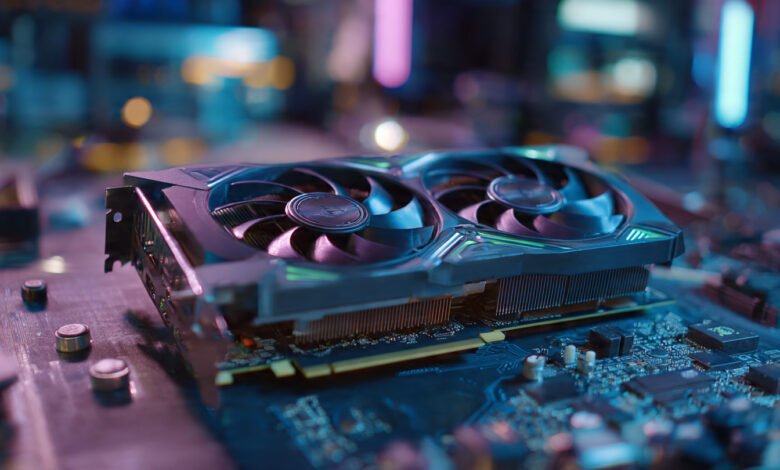
Walk into any conversation about modern computers, and the term GPU will come up sooner or later. Whether someone is trying to build a gaming rig, train a machine learning model, or just figure out why their video editing software keeps crashing, the conversation almost always circles back to one component: the graphics processing unit. So what is GPU technology really about, and why has it become one of the most talked-about pieces of hardware in the world?
A GPU, short for Graphics Processing Unit, started its life as a chip designed to draw pictures on your screen. That sounds simple enough, but over the past two decades it has grown into something much bigger. Today, the same chip that renders your video game also powers self-driving cars, trains large language models, and helps scientists simulate weather patterns. Understanding what a GPU is and why it matters has gone from a niche tech topic to something almost every computer user benefits from knowing.
In this guide, you will learn exactly what a GPU does, how it differs from a CPU, the different types you can buy, and the real reasons it matters far beyond gaming. You will also find practical tips for choosing the right graphics card, a look at the major manufacturers, and a glimpse at where GPU technology is heading next. By the end, you will see why this small piece of silicon has reshaped computing as we know it.
What Is a GPU? Breaking Down the Basics
A GPU, or Graphics Processing Unit, is a specialized electronic circuit built to handle and accelerate the creation of images, videos, and animations. The name tells you what it was originally for: processing graphics. But that definition has expanded a lot over the years.
At its core, a GPU contains thousands of small processing cores that work in parallel. While a typical CPU might have 8 to 16 powerful cores designed to handle a wide range of tasks one after another, a GPU can have anywhere from a few hundred to over 16,000 smaller cores designed to crunch through similar tasks all at once. This makes the GPU brilliant at jobs that involve doing the same calculation across huge amounts of data.
Think of it this way. If a CPU is like a chef preparing a five-course meal one dish at a time with great care, a GPU is like a fast-food kitchen with hundreds of cooks, each frying one egg simultaneously. Both have their place, but when you need 10,000 eggs cooked right now, you want the GPU.
Modern graphics processing units handle:
- Rendering 3D environments in games
- Decoding and encoding video
- Running AI and deep learning models
- Performing scientific calculations
- Driving multiple monitors at once
- Accelerating image and video editing software
- Powering virtual reality and augmented reality experiences
This range of jobs explains why the GPU has gone from a niche gaming part to one of the most important chips in the world.
A Brief History of the GPU
The journey of the GPU is actually pretty interesting. Early personal computers handled all graphics work through the CPU, which slowed everything else down. Companies like S3 Graphics, 3dfx, and ATI started building dedicated graphics chips in the 1990s to take the load off. The term “GPU” itself was popularized by NVIDIA in 1999 when it launched the GeForce 256, marketing it as the world’s first GPU because it offloaded transform and lighting calculations from the CPU.
From there, things moved fast. By the mid-2000s, researchers realized those parallel cores could be used for much more than just drawing triangles. NVIDIA released CUDA in 2007, which let developers write code to run general-purpose tasks on GPUs. That single move transformed the GPU from a graphics tool into a general-purpose computing powerhouse. Today, this idea is known as GPGPU, or general-purpose computing on graphics processing units, and it underpins much of the modern AI revolution.


How Does a GPU Work?
Understanding how a GPU works helps explain why it matters so much. The basic idea is parallel processing.
Parallel Processing Explained
When your screen displays an image, that image is made up of millions of pixels. Each pixel needs to know what color to be, how bright, and how it relates to the pixels around it. Calculating all of that one pixel at a time would be painfully slow. A GPU instead processes thousands of pixels at the same time using its parallel architecture.
This same principle applies to many modern computing problems. Training an AI model, for example, involves running the same mathematical operation on enormous data sets. The GPU can split that work across thousands of cores, finishing in minutes what a CPU might take days to complete.
GPU vs CPU: The Key Differences
People often ask whether a GPU is better than a CPU. The honest answer is that they are built for different jobs.
Key differences between GPU and CPU:
- Cores: CPUs typically have 4 to 64 cores. GPUs can have thousands.
- Speed per core: CPU cores are faster individually. GPU cores are slower but work in massive numbers.
- Tasks: CPUs handle complex, sequential, varied tasks. GPUs handle simple, repetitive, parallel tasks.
- Memory: CPUs use system RAM. GPUs have their own dedicated VRAM.
- Power: GPUs usually draw more power than CPUs.
- Cost: High-end GPUs are often more expensive than the CPU in the same machine.
You need both. The CPU runs your operating system, manages files, handles general logic, and tells the GPU what to do. The GPU then does the heavy lifting on graphics or parallel workloads. They work as a team, not as competitors.
Types of GPUs You Should Know
Not all GPUs are the same. There are three main categories worth understanding.
Integrated GPUs
An integrated GPU is built into the same chip as the CPU. Intel processors, AMD Ryzen with built-in graphics, and Apple’s M-series chips all include integrated graphics. They share system memory rather than having their own.
Integrated graphics are great for:
- Web browsing
- Office work
- Video streaming
- Light photo editing
- Older or less demanding games
They cost less, use less power, and produce less heat. The trade-off is performance. They cannot match a dedicated graphics card for serious gaming, 3D work, or AI tasks.
Discrete GPUs
A discrete GPU is a separate card you install into your computer. These have their own processor, their own VRAM (video memory), and their own cooling system. This is what most gamers, content creators, and AI developers use.
Discrete GPUs are what people usually mean when they talk about a “graphics card.” Examples include the NVIDIA GeForce RTX series, the AMD Radeon RX series, and Intel’s Arc lineup. A high-end discrete GPU can have more transistors than the CPU it sits next to, which says a lot about how complex these chips have become.
External GPUs (eGPUs)
An external GPU, or eGPU, lives outside your computer in its own enclosure and connects through a high-speed port like Thunderbolt or USB4. eGPUs let laptop users get desktop-class graphics performance when plugged in at a desk, then go back to using the laptop’s integrated chip on the move.
They are popular with creators who want a portable laptop without giving up the option to run heavy software at home.
Why Does the GPU Matter? 7 Powerful Reasons
Now to the heart of the question. Why has the GPU become so important?
1. Gaming Performance
The most obvious reason is gaming. Modern video games are demanding. They render detailed 3D worlds, simulate physics, and handle real-time lighting effects like ray tracing. A capable graphics processing unit makes the difference between a smooth, beautiful experience and a stuttering slideshow.
If you care about high frame rates, 4K gaming, or features like NVIDIA DLSS and AMD FSR, the GPU is the single most important component in your PC. A great CPU paired with a weak graphics card will still give you a poor gaming experience.
2. Artificial Intelligence and Machine Learning
This is where the GPU has truly changed the world. Training AI models like large language models, image generators, and recommendation systems requires massive parallel computation. GPUs handle this far better than CPUs ever could.
Companies like OpenAI, Google, and Anthropic rely on tens of thousands of GPUs to train their models. The current AI boom would not exist without modern graphics processing units. According to NVIDIA’s official CUDA documentation, GPU acceleration is now a standard part of nearly every major AI framework, from PyTorch to TensorFlow.
3. Video Editing and Content Creation
If you have ever waited for a long video to export, you know how painful slow rendering can be. A good GPU dramatically speeds up video editing software like Adobe Premiere Pro, DaVinci Resolve, and Final Cut Pro. It accelerates effects, color grading, and final exports.
Streaming software also uses the GPU to encode video in real time, which is why streamers care so much about graphics card choice. Hardware encoders like NVIDIA NVENC can offload streaming work entirely from the CPU, freeing it up for the actual game.
4. 3D Rendering and Animation
Architects, animators, product designers, and visual effects artists all depend on GPUs to render their work. Software like Blender, Maya, Cinema 4D, and Unreal Engine all rely heavily on graphics processing for both real-time previews and final renders.
What used to take a render farm overnight can now happen in minutes on a single workstation with a powerful GPU. That shift has changed how independent creators and small studios compete with larger production houses.
5. Cryptocurrency Mining
Although the landscape has shifted, GPUs played a big role in the rise of cryptocurrency mining. Their parallel processing made them ideal for solving the cryptographic puzzles behind currencies like Ethereum, before its switch to proof of stake. This use case caused massive GPU shortages in 2020 and 2021, frustrating gamers around the world.
6. Scientific Research and Simulation
GPUs power some of the most important scientific work happening today. Climate scientists use them to model weather. Drug researchers use them for molecular simulations. Physicists use them to analyze particle collision data. The same parallel processing power that draws video game characters helps researchers tackle some of humanity’s hardest problems.
National laboratories now build supercomputers around GPU clusters, and many of the fastest machines in the world rely on graphics processing units for the bulk of their compute.
7. Everyday Computing Tasks
Even if you do not game or edit video, the GPU still affects your daily computing. It powers your monitor, accelerates web browsers, handles video calls, and makes scrolling smooth. Modern operating systems offload many small graphical tasks to the GPU to keep the CPU free for other work.
If you have noticed your laptop running cooler and quieter than older machines, a more capable integrated GPU is part of the reason.
Major GPU Manufacturers
Three companies dominate the global GPU market today.
NVIDIA
NVIDIA is the largest and most influential player. Its GeForce line targets gamers, while the RTX, Quadro, and the H100 and Blackwell series serve professionals, data centers, and AI labs. NVIDIA’s CUDA platform has become the industry standard for GPU computing, which is one reason the company has grown so quickly during the AI boom.
AMD
AMD competes with NVIDIA across the gaming and professional markets. Its Radeon RX cards offer strong performance, often at lower prices, and the company also builds the GPUs inside the PlayStation 5 and Xbox Series X consoles. AMD has been gaining ground in the data center and AI accelerator space with its Instinct MI series.
Intel
Intel has long made integrated graphics, but it entered the discrete GPU market with its Arc series in 2022. The lineup has improved quickly and gives buyers a third option, especially in the budget and mid-range segments. More competition is good news for everyone shopping for a new graphics card.
How to Choose the Right GPU
Picking the right graphics card depends on what you actually do with your computer.
Things to consider:
- Your main use case (gaming, AI, video, casual use)
- Your monitor’s resolution and refresh rate
- The size of your computer case
- Your power supply wattage
- Your budget
- The CPU you are pairing it with
- Whether you need specific features like ray tracing or AI upscaling
A few practical tips:
- For 1080p gaming, a mid-range card from the last two generations is usually plenty.
- For 1440p or 4K gaming, lean toward higher-end models with more VRAM.
- For AI work, prioritize VRAM. 12GB is a starting point. 24GB or more is better for serious work.
- For video editing, look at GPU encoders like NVIDIA NVENC or AMD’s equivalent.
- Always check that your power supply can handle the card.
- Make sure the card physically fits inside your case before buying.
It is also worth checking independent reviews and detailed specifications from sources like TechPowerUp’s GPU database before buying. Marketing names can be misleading, but objective benchmarks rarely are.
Common GPU Specifications Explained
GPU specs can look intimidating. Here is a quick translation guide for the terms you will see on every product page.
- VRAM (Video Memory): How much dedicated memory the card has. Bigger is better for high resolutions and AI work.
- CUDA Cores or Stream Processors: The parallel processing units inside the GPU. More usually means faster, but only when comparing within the same generation and brand.
- Clock Speed: How fast each core operates, measured in MHz or GHz.
- Memory Bandwidth: How quickly data moves between the GPU and its memory.
- TDP (Thermal Design Power): How much power and heat the GPU produces.
- PCIe Generation: The interface that connects the GPU to the rest of the system.
- Ray Tracing Cores and Tensor Cores: Specialized hardware for ray tracing and AI tasks.
- Bus Width: The size of the path between the GPU and its memory, measured in bits.
Understanding these helps you compare cards rather than just chasing model numbers.
The Future of GPU Technology
GPU technology is moving fast. A few trends worth watching:
- AI-specific accelerators: Companies are building chips that focus purely on AI workloads, blurring the line between GPU and dedicated AI processor.
- Chiplet designs: Both AMD and NVIDIA are moving toward modular GPU designs that combine multiple smaller chips into one package.
- Power efficiency: As GPUs grow more powerful, manufacturers are focusing on getting more performance per watt.
- Ray tracing and AI upscaling: Features like DLSS, FSR, and XeSS are becoming standard, letting GPUs deliver better visuals with less raw power.
- Integration with everything: GPUs are showing up in cars, phones, smart appliances, and edge devices. The general-purpose graphics processor is no longer just for PCs.
- Cloud GPUs: Services like NVIDIA GeForce NOW and various cloud platforms let you rent GPU power instead of buying a card outright.
The next decade of GPU development will likely be defined by how well these chips handle the growing demands of AI, while still serving gamers and creators who want better visuals and faster workflows.
Frequently Asked Questions About GPUs
Do I need a dedicated GPU?
Not necessarily. If you only browse the web, write documents, watch videos, and do light photo editing, integrated graphics will serve you well. You only need a dedicated GPU if you game, create content, work with 3D, or run AI workloads.
How long does a GPU last?
A good graphics card typically stays useful for 4 to 6 years, sometimes longer. Driver support usually continues for many years after release, and many older cards still play modern games at lower settings.
Can I use two GPUs at once?
You can, but it is rarely worth it for gaming today. Most modern games no longer support multi-GPU setups. They still make sense for AI training, scientific computing, and certain professional rendering tasks.
Why are GPUs so expensive?
Several factors push prices up: complex manufacturing, high demand from gamers and AI companies, expensive memory chips, and limited supply of cutting-edge silicon. The AI boom has made this worse, since data centers buy huge quantities of high-end GPUs.
What is the difference between a GPU and a graphics card?
The GPU is the actual chip. A graphics card is the full product, including the GPU, the memory, the cooling system, and the circuit board. People often use the terms interchangeably, but they are not quite the same thing.
Is more VRAM always better?
Generally, yes, but only up to the point where your other components can keep up. A budget GPU with 16GB of VRAM will not outperform a higher-end card with 12GB if its core is much slower. Match VRAM to your actual use case.
Do GPUs work for laptops?
Yes. Many laptops have either integrated graphics or a mobile version of a discrete GPU. Mobile GPUs are usually less powerful than their desktop equivalents because they have to fit in a smaller space and use less power.
Conclusion
The GPU has come a long way from its early job of drawing simple shapes on a screen. Today, it sits at the center of gaming, content creation, scientific research, and the entire AI revolution, with thousands of parallel cores doing work that no traditional CPU could match. Whether you are picking out parts for your first PC, deciding if your laptop needs an upgrade, or just trying to understand what makes modern computers tick, knowing what a GPU is and why it matters gives you a much clearer view of how everything fits together.
The right graphics processing unit can transform what your computer is capable of, and as the technology keeps advancing, that role will only grow more important in the years ahead.